 English
 Deutsch
 Español
 Français
 Italiano
 Português
 Русский
 العربية
 हिन्दी
 日本語
日本語 简体中文
简体中文

 Android
 iOS
iOS Mac
Mac Windows


Thank you for
downloading iShredder Android
One last step...
Enter your email address to receive your download link and
installation instruction by email.
iShredder™ · Secure erasure since 2004
Erased. Overwritten. Verified.
iShredder removes sensitive data where it actually resides—with intelligent storage logic, recognized erasure methods, and exportable reports. For Android, iPhone, iPad, Mac, and Windows.
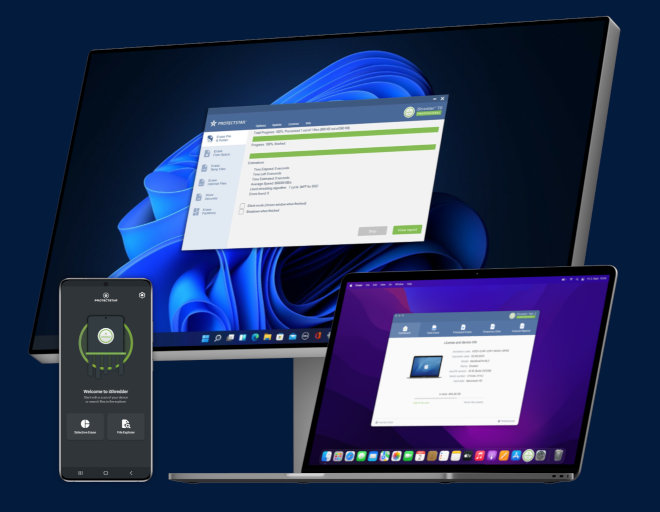

The invisible trail
What remains when you hand off your device?
Every device stores more than you can see: photos, messages, documents, logins, location data, and app history. Many traces remain longer than expected.
A factory reset removes only part of it. What actually happens when you delete data is shown in the next section.
One file.
A photo, a chat, a document. It sits in an area of your storage.
You delete it.
It has disappeared from your view.
Traces remain.
Traces remain in storage. Recovery tools can find them again.
iShredder overwrites.
iShredder overwrites the data areas according to recognized standards.
Erasure documented.
The erasure report documents the method, device, timestamp, and result.
Factory reset vs. secure erasure
A reset removes access. iShredder removes the traces.
A factory reset can be useful. For sale, repair, audits, or sensitive data, it often is not enough on its own.
Removes keys and references.
Data areas can still physically exist.
- Encrypted data blocks remain physically in storage
- Reserve areas (wear leveling, over-provisioning) often remain untouched
- Cloud backups (iCloud, Google Drive) continue to exist
- No documented proof of the process
Overwrites suitable storage areas.
Checks the result and creates a report.
- Data areas are overwritten with defined patterns
- SSD and flash-specific characteristics are handled as far as technically addressable
- Verification checks the process within the selected scope
- Report with timestamp, method, and integrity hash




iShredder Finder
Find your iShredder edition.
Choose your use case, device, and protection level. iShredder recommends the right edition, including an erasure report.
What do you want to erase securely?
On which device?
What level of protection do you need?
Android Pro
One product family
Choose your device.
iShredder adapts to your platform with the right features, methods, and editions.
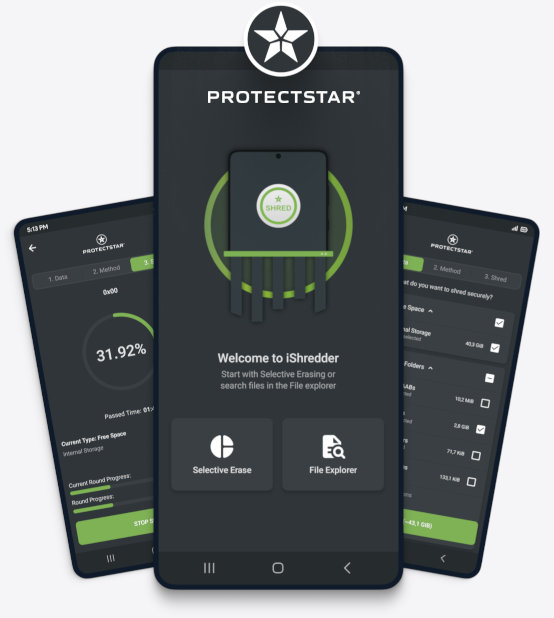
Securely erase your smartphone before it changes hands.
For sale, repair, recycling, or handoff. Files, media, and selected data areas are erased with recognized methods, and the process is documented.
Ready for sale, repair, or handoff.
iShredder Android erases files, media, and free space, with a report and independently tested Android app security.
- Internal storage, SD cards, and USB devices
- Report with method, timestamp, and verification
- Android: DEKRA MASA L1, app security aligned with OWASP MASVS L1
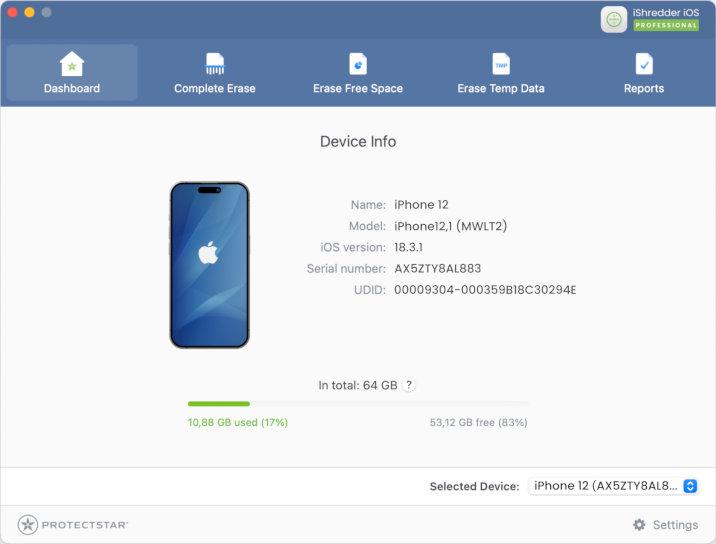
Erase iPhone and iPad from a Mac or PC.
Optimized for Apple Silicon. Parallel erasure of multiple devices. Supports passcode-locked devices when iCloud Activation Lock is not active.
iPhone or iPad? Connect via USB to a Mac or PC.
iShredder iOS deliberately does not run directly on the device. You connect your iPhone or iPad via USB to a Mac or Windows PC for greater control.
- All iPhone, iPad, and iPod touch models, including passcode-locked devices
- Optimized for Apple Silicon, parallel erasure of multiple devices
- No active iCloud Activation Lock
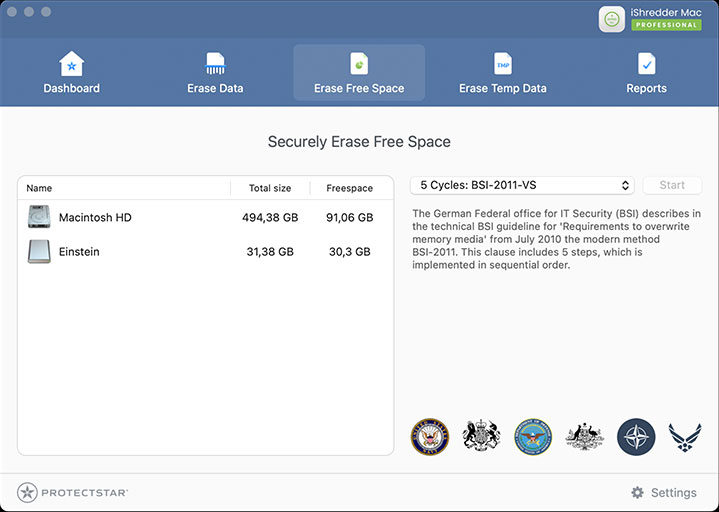
Drag & Drop. Securely erased. Documented.
Erase files, folders, free space, and external drives on macOS. SSD-aware methods, exportable reports.
Drop files in. Securely erased.
iShredder Mac works the way macOS works: Drag & Drop. Files, folders, free space, or external drives, with reports and SSD-aware methods.
- Drag & Drop for files, folders, and free space
- SSD- and flash-aware methods, Apple Silicon M1 through M5
- External drives, USB flash drives, HDDs, and SSDs
Securely erase files, partitions, and drives.
For Windows 10 and 11. Step-by-step wizard, SSD and flash methods, temporary Windows and browser data, detailed reports.
Step by step to secure erasure.
iShredder Windows guides you through the process. Files, partitions, external drives, or browser data, with reports and SSD-aware methods.
- Files, folders, partitions, and external drives
- Step-by-step wizard for home users, CLI-ready for professionals
- SSD- and flash-aware, temporary Windows and browser data
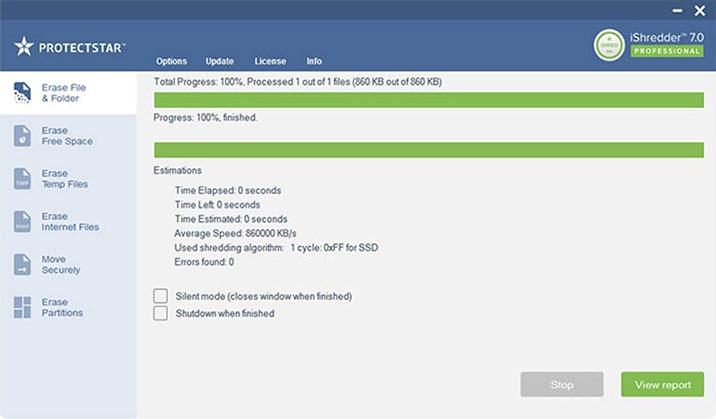
Not sure which edition? Let the App Finder guide you →
The proof
Not just erased. Documented.
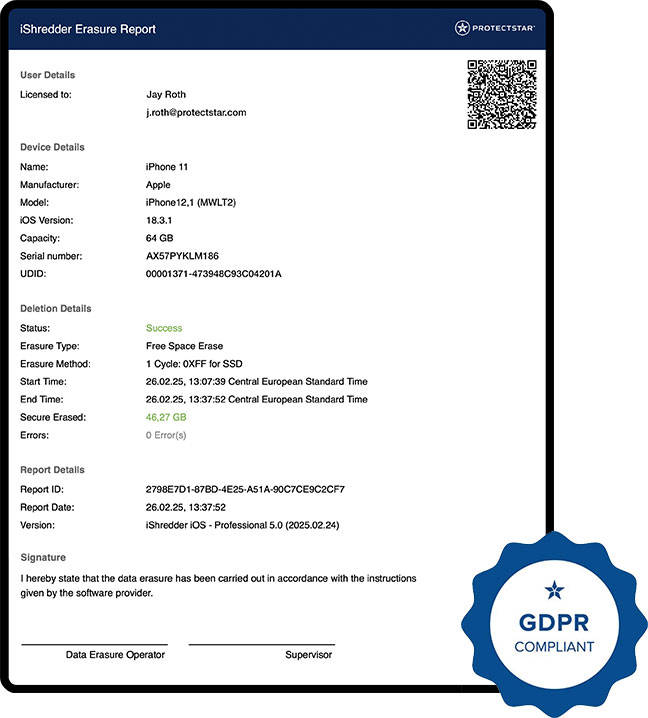
Every completed erasure process can be documented: device, method, timestamp, verification, and integrity hash. Exportable as a PDF for audits, GDPR documentation, and internal records.
Shows the essentials at a glance. For audits, GDPR, and internal compliance, switch to Audit.
- 1Timestamp. Exactly when was it erased? With second-level precision and audit-ready detail.
- 2Algorithm. Which method? Which standard? Clearly documented.
- 3Hash. SHA-256 across all process data. Any manipulation becomes visible.
- 4Verification. Checks the erasure process within the selected scope and documents the result.
Try it out
How your integrity hash works.
Change one character. You get a completely different hash. That makes every erasure report unique.
The calculation runs locally in your browser. No data leaves your device. iShredder uses SHA-256 to make the integrity of every erasure report verifiable.
The proof
What an iShredder erasure report looks like.
Sample data. One page. Audit-ready. View the report iShredder creates after each erasure process.
- Timestamp to the second, with time zone.
- Device and method clearly documented.
- Standard aligned with NIST SP 800-88 Rev. 2.
- Scope and verification within the selected scope.
- SHA-256 integrity hash across all process data.
- Report ID for internal audits and GDPR documentation.
1 page Sample data
Erasure methods
Choose your risk level, not the algorithm.
Everyday use, sale, business, or maximum protection: iShredder recommends the right security level. Technical details remain available.
Available methods vary by platform and edition. Recoverability depends on medium, method, device, scope, and attacker effort. iShredder recommends a matching security level; technical details remain available.
Tested and awarded
Security that is documented.
DEKRA MASA L1 tests the app security of the Android version. The Fortress Award recognizes iShredder for cybersecurity innovation.
Recognized for more than security.
The award recognized not only the erasure technology, but the complete package: innovation, effectiveness, usability, and alignment with international standards.

Android security. Independently tested again.
iShredder Android version 7.2.3, tested on March 13, 2026. Storage, cryptography, authentication, network, platform, and code quality. MASA L1 is valid for 12 months. That is why not only the test matters, but the retest as well.
Press voices
What the press says about iShredder.
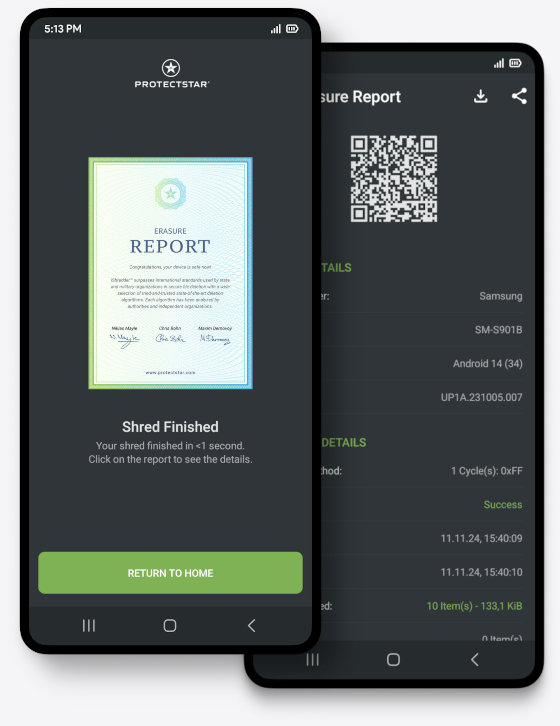
iShredder is the shredder that reliably erases data.
iShredder erases all personal data without exception.
Works in the simplest way imaginable.
An ideal app for erasing your data.
Experts recommend data erasure tools like iShredder.
Frequently asked questions
What you should know.
-
For everyday use, often yes. For sale, repair, audits, or higher confidentiality, often no. A factory reset usually removes only the encryption key or file-index references. The actual data blocks can remain physically in storage, and sometimes in reserve areas created by wear leveling and over-provisioning.
iShredder complements a factory reset by selectively overwriting suitable storage areas. After a correctly completed process, usable data remnants should no longer be expected under realistic recovery methods.
-
After a correctly completed erasure process, usable data remnants should not be expected under realistic recovery or forensic workflows. Even one pass according to recognized standards makes recovery impractical for common recovery tools.
Multi-stage methods such as DoD 5220.22-M or Protectstar ASDA also make highly specialized forensic recovery significantly more difficult. The right method depends on storage type and protection needs, not only on the number of passes.
-
That depends on your device and use case. For occasional erasure of private files, the free Android edition may be enough. If you are selling or handing off a device, the Pro edition is a good fit. For documented erasure, internal compliance, and multi-stage methods, choose Military; for the highest protection needs, choose GOV.
The device selection section above shows you the matching edition for each platform directly.
-
Yes. SSDs and flash storage use wear leveling, which moves write operations across changing cells. iShredder accounts for this with SSD-aware methods such as the DoD 5220.22-M SSD variant, the 0xFF-for-SSD method, and TRIM-aware procedures where technically addressable.
For mobile flash, iShredder combines factory reset and physical overwriting. Occasional secure erasure processes are generally unproblematic for the lifespan of modern SSDs.
-
iOS deliberately does not allow third-party apps direct access to flash storage. That is why iShredder iOS runs on a Mac (Apple Silicon M1 through M5 or Intel) or a Windows PC. iOS devices are connected via USB and erased through the desktop application. There is therefore no standalone app in the iOS App Store.
This has one key advantage: even passcode-locked iPhones and iPads can be erased this way, provided no iCloud Activation Lock is active.
-
Both. You decide what should disappear: individual files and folders, free space, selected data areas, external drives, or the entire device. The scope depends on platform and edition.
A common use case is overwriting free space after you have already deleted many files. This captures remnants of earlier data that would otherwise still be recoverable.
-
iShredder erases locally on the device or drive. Data stored in iCloud, Google Drive, OneDrive, or other cloud services is not affected.
Before passing on a device, you should turn off cloud synchronization, sign out of your accounts, and separately delete any cloud backups you no longer need. Only then can you be sure that no copies remain outside the device.
-
Yes, always. iShredder erases permanently. You should export important data or transfer it to another device before the erasure process. After erasure, it can no longer be recovered—that is the purpose.
-
DEKRA MASA L1 stands for Mobile Application Security Assessment and evaluates mobile app security according to OWASP MASVS Level 1. It reviews areas including storage, cryptography, authentication, network communication, platform interaction, and code quality. It is an app security assessment, not an evaluation of erasure effectiveness itself.
The certification is valid for 12 months at a time and is then tested again. The Android version of iShredder was most recently revalidated in March 2026. This Android-specific assessment does not apply to iShredder on Mac and Windows.
-
For Android, there is a free edition with multiple erasure methods, SD card cleanup, and an erasure report. Advanced methods, external devices, and additional features are unlocked through the Pro, Military, and GOV editions. For iPhone, iPad, Mac, and Windows, iShredder starts with the Pro edition.
It is not a typical auto-renewing subscription. You purchase an edition and use it. Details about term and updates are shown in the shop for each edition.
-
Date and time, device identification, the algorithm used and its underlying standard, the number of erased files or overwritten areas, process duration, verification result, and a SHA-256 hash that confirms the report’s integrity.
The document can be exported as a PDF and is suitable for GDPR documentation, device handoffs, and internal compliance records. A sample report is available for viewing in the report section of this page.
Your selection
Your erasure plan.
Your answers create your erasure plan, including device, method, proof, and recommended edition.
Choose a use case, your device, and a method above. Your plan fills in automatically.
View the matching edition
One family, every device
One solution. Four systems.
Choose your device. iShredder shows you the matching version.
Still not sure? The App Finder guides you to the right solution
Choose your device. Erase with proof.
iShredder runs on Android, iPhone, iPad, Mac, and Windows. With the right edition for your protection level.